For MSF RiderCoaches
Leave the clipboard in the truck.
The wind can’t take a phone. There’s no column to put a score in by mistake. The N/As fill themselves in, the range’s site number is already on the form, and photographs go on with two taps. You leave the lot with the paperwork done.
Deployed and in trial with a Nevada training provider, against their live registration system.
The actual problem
None of it is hard. All of it goes wrong.
Nothing the paperwork asks for is difficult. It wants a site number. It wants a box ticked. It wants a photograph of a bike. What makes it go wrong is where it gets done — on asphalt, in wind, in gloves, in the few minutes between exercises, with a class standing there waiting on you.
Ask a coach what actually costs them on a class day. It is the same five things every time.
- The wind takes the sheet off the clipboard.
- There isn’t one. The class lives on the phone in your pocket, which doesn’t cartwheel across the range, doesn’t go soggy, and doesn’t need reprinting because somebody’s coffee found it.
- You put a score in the wrong column.
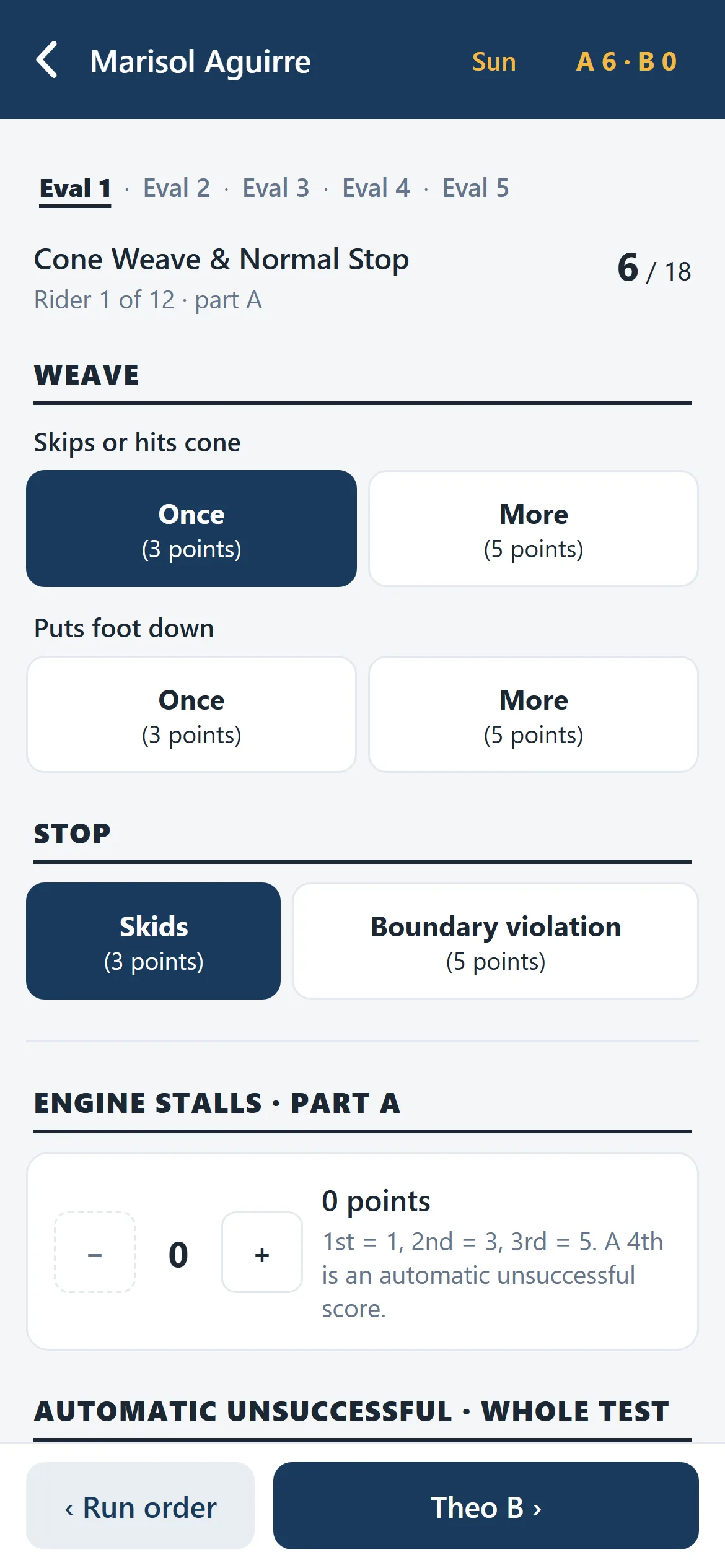
- There is no column. The class walks one exercise at a time — everyone rides evaluation one before anybody rides two — so the screen only ever holds one rider and one exercise. Nothing to slip sideways into.
- N/A. N/A. N/A. N/A. N/A.
- Written for you. Every blank on the incident report files as N/A on export. Only the first line of a multi-line answer gets one, too — four of them stacked down the summary block would read as four unanswered questions instead of one empty box.
- Nobody can remember the range’s site number.
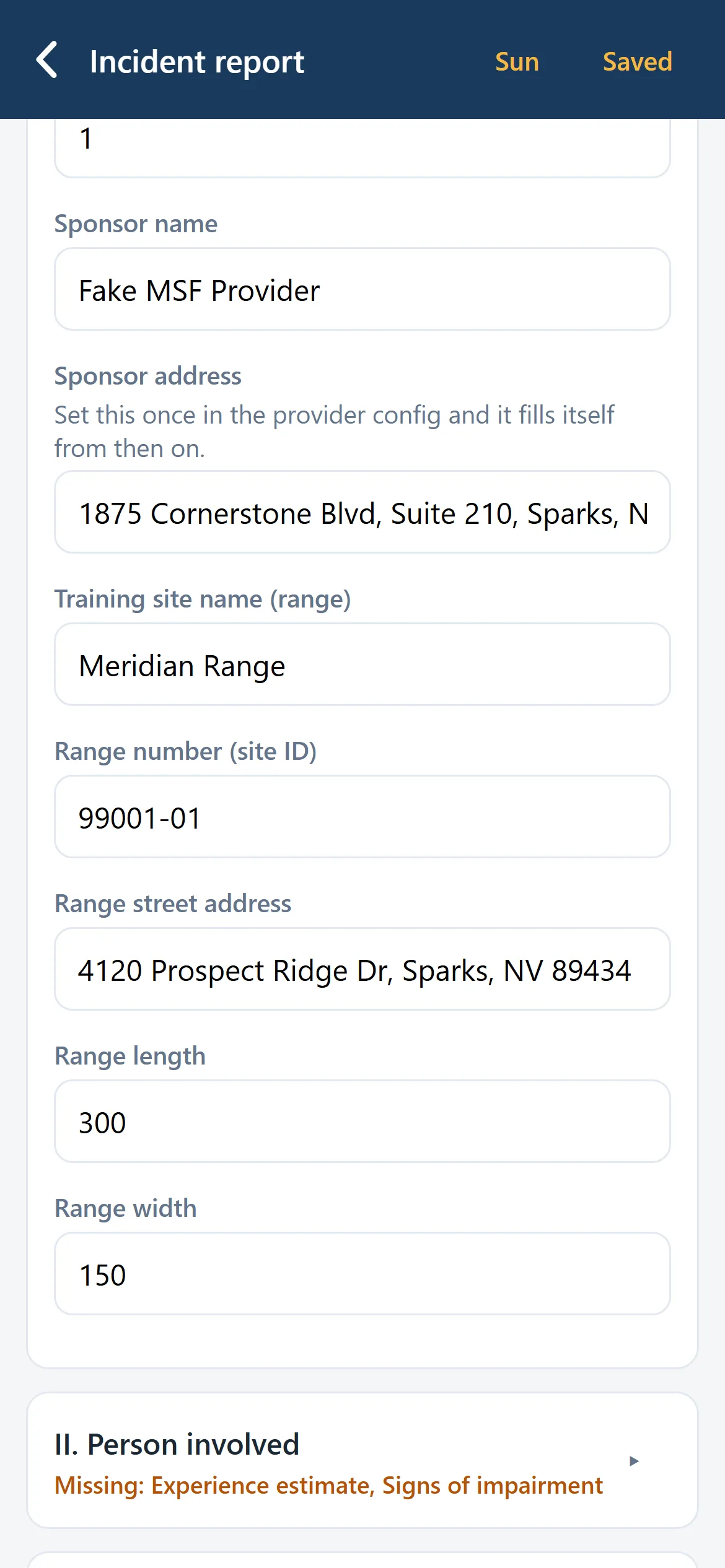
- The app can. Every range carries its MSF site ID, street address, length and width. The fleet carries brand, model, engine size and VIN — so you pick the bike off a list instead of crouching by a frame sticker copying seventeen characters into a box.
- Getting photographs onto the report.
- Camera or photo roll, two taps either way. Camera first because a range gets cleared within minutes; the roll as well, because sometimes it’s the rider or your co-coach who took the picture. Downscaled on the phone before it goes anywhere, encrypted once it lands.
How a class actually goes
- 01
The roster is already there.
Sign in and the day’s class is populated from your registration system. Nobody types a name, nobody imports a spreadsheet. If a rider was added at 6am, they’re automatically in the app by 6:01.
- 02
Score the evaluation as it is ridden.
The skill evaluation is the only thing you score, and it goes in with the rider still in front of you — one tap, next rider. Every tap saves as you make it, so nothing lives on the one object the weather can ruin: a sheet caught in the rain is finished, a phone is just wet. Co-coaches share the sheet and work the same class at once.
- 03
Card numbers without the squinting.
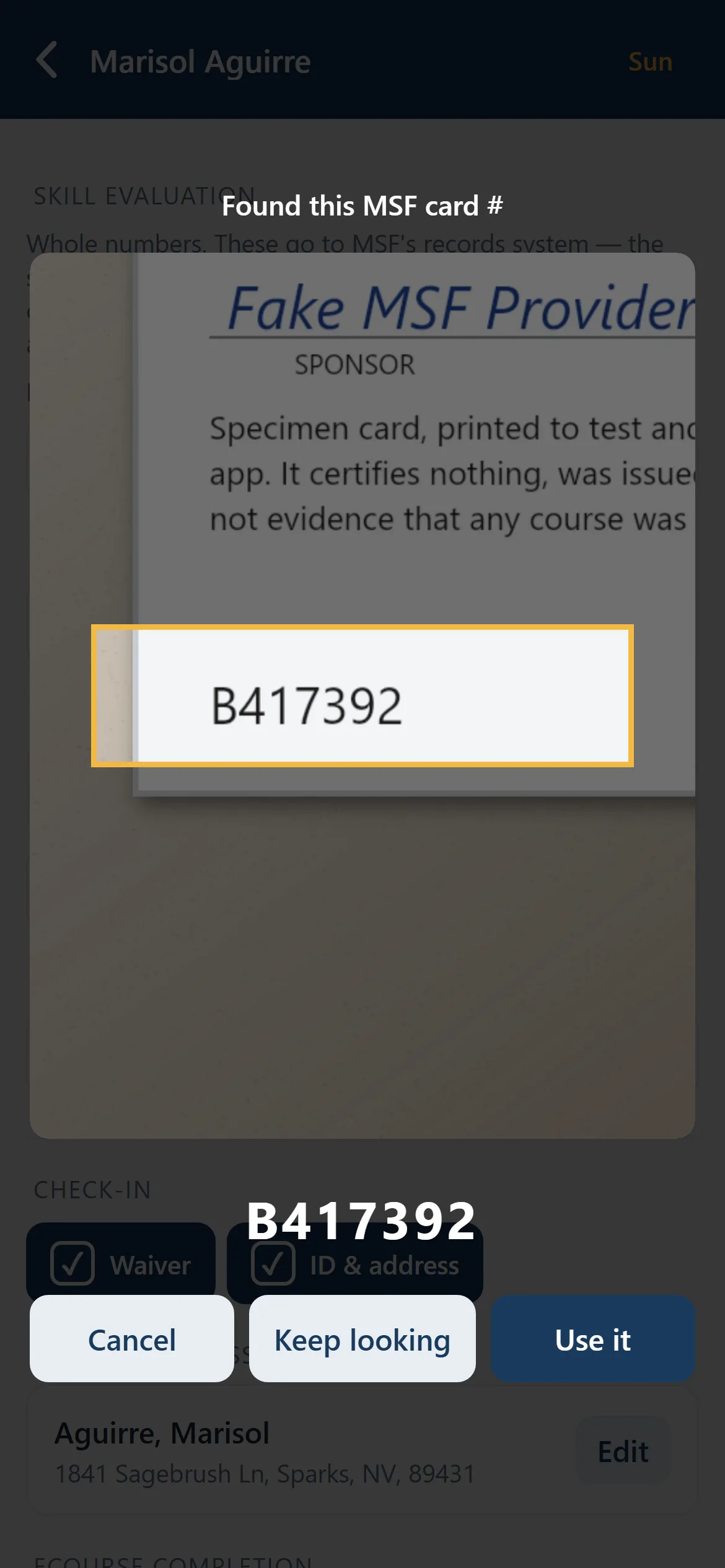
Point the camera at a licence or eCourse completion and it reads the number. The recognition runs on the phone itself — the photograph never leaves it and is never uploaded.
- 04
The state report builds itself.
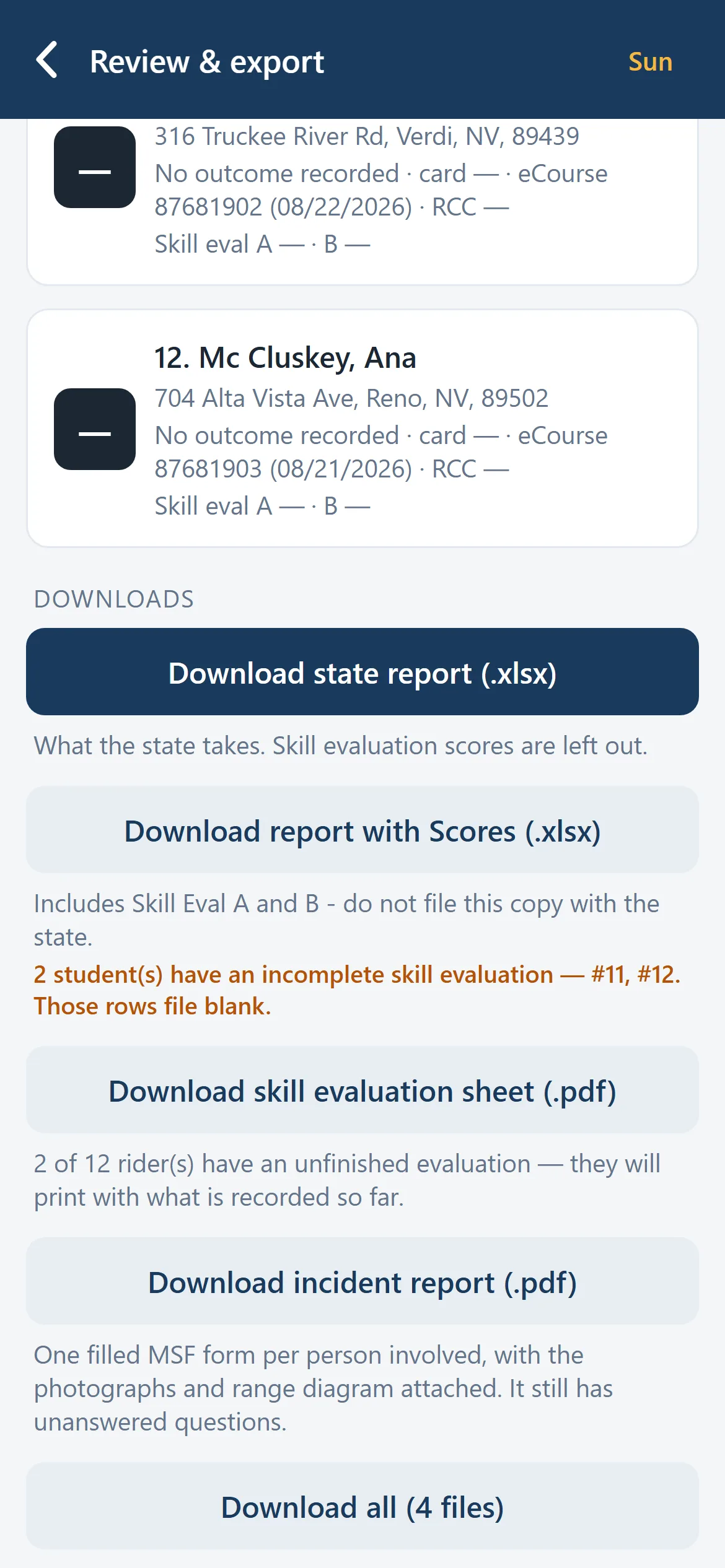
The completion report is assembled into your state office’s own template — their layout, their formatting, their file. You review it and export. That’s the end of the paperwork.
Incident reports
You will write more of these than anybody warned you about.
One clumsy student can generate two in a single class day, and the Incident Report Form is not any shorter the second time. So it arrives already knowing everything it can know: the class, the range with its site ID and dimensions, the bike picked off your fleet by name, and the rider’s details — including their emergency contact, one tap away rather than a phone call to the office. On your screen, for you; it never goes onto the form.
You add what happened, photograph what needs photographing, and draw the range diagram with your finger. Done at the range while it is still in front of you, rather than reconstructed at a kitchen table at ten o’clock.
For the program
The parts your administrator will ask about.
A coach can want this; a program has to allow it. These are the answers to the questions that actually decide it — and they are properties of how it is built, not promises in a document.
- Read-only — unless you would rather it weren’t
- As it stands the integration layer has exactly one network primitive: a GET against an allowed host, with a test that fails the build if anyone adds a write. That is how the first program wanted it. If yours would rather have outcomes posted straight back and skip the export step altogether, that is a connector we would build deliberately and together — not something the wiring does quietly on its own.
- It holds less about your riders than you would expect
- Class sheets reference riders by your system’s own learner ID, and names are read live for display and export rather than copied into a second database that then has to be secured, synced and eventually deleted. Dates of birth, addresses, phone numbers and emergency contacts are not on the roster at all — nothing that polls, displays or exports a class ever loads them.
- Closed by default
- No self-registration. An account with no provider assigned to it reaches nothing at all, and coaches only ever see the providers they actually work for. New accounts start with no access rather than all of it.
- An incident report is the exception, and it is encrypted
- The Incident Report Form is not fileable without a date of birth and a telephone number, so starting a report is the one moment the app reaches for them. They are read once, frozen into that report, and encrypted on disk along with every attached photograph. Frozen deliberately: the class sheet is swept thirty days after export, and the report still has to be true years later when MSF or an insurer asks about it.
- It fits your program, not the other way round
- Ranges, course types, custom fields, fleet and site details are configuration. A second provider on the same registration system is a config file. A different registration system is a connector, and everything above it already works.
Where it is
RangeAid is deployed and wired to a live registration system at a Nevada training provider, where it is being trialled rather than depended on. It is built against the MSF forms and one state’s report template, and the layer that talks to a registration system is pluggable by design — so a second program is a conversation about configuration, not a rewrite.
If you run an MSF program, or you coach for one and want something to forward upward, that is the conversation I want to have.
Get in touch
Tell me how your classes run.
Whether you coach or run the program — what does your paperwork actually look like on a Sunday afternoon?
Email me and I will come straight back to you.
[email protected]Tell me which of the three you are after — IT, Ride or RangeAid — and roughly what you need.